Over the next two weeks, we will be learning about our digital footprint. We will be completing a self-paced web quest designed to help us explore what a digital footprint is, analyze our own digital footprint, and think critically about how what we post online can affect us in the future.
The web quest can be found here.
More information on digital footprint:
Article on managing your digital footprint
Article on digital reputation
KidSmarts webpage
Sunday, October 25, 2015
Wednesday, October 21, 2015
Scams & Schemes

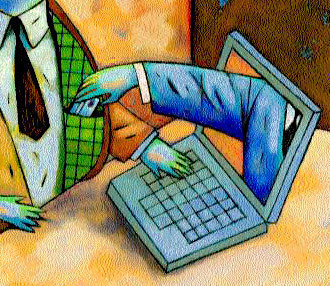
For the past two days we have been learning about online scams and schemes. We have been learning techniques to help us figure out if something is a scam. We have been focusing on phishing emails and recognizing them.
Seven Features of Phishing Email
- Need to verify account information: Phony emails will try to trick you into giving up account information or passwords, or clicking on a phishing link where you fill out information that identity thieves can collect and use. Usually what they’re asking for doesn’t make sense if you think about it, because they should already have that information!
- Sense of urgency: When the message says you only have a limited time to respond, it is often the sign of a scam.
- Spelling errors: Scam emails often include spelling and grammatical errors. A real company would not send out messages containing such errors.
- Alert that account is in trouble: Identity thieves try to make you worry that something is wrong with your account, so you will feel you must immediately respond to the email to fix it.
- Link in email or attachment: Phishing emails often have a link within the email or an attachment that you are urged to click on. This link can lead you to a site or form where you (unknowingly) give your information to criminals. You should never respond to or click on links in such emails. Instead, go directly to the main website, and from there check your account.
- Too good to be true: Scam emails often offer things that are too good to be true, like the easy chance to win free money or prizes.
- Generic greeting: You might see a generic greeting that does not personally address you. Reputable companies send emails where they address their customers by name.
In-Class Project
Students are writing their own phishing emails. They are including 4 or more features of a phishing email into their final product. The emails are being posted to our blog and other students are commenting with the features they finding in each other's emails.
Monday, October 19, 2015
Protecting Your Child From Identity Theft
There are many things that you can do to protect your child from identity theft.
Keep Your Identification Papers Safe
First, keep all of your child's identification papers, such as birth certificate, social security card, and passport, in a secure location, such a safe.
Educate Your Children
Second, teach your children about keeping their identity safe, both online and in person. Talk to them about what types of information are not okay to share, even with people they know.
Only Give Out SSN When Necessary
Third, don't give out your child's social security number unless you absolutely have to. Many places, including doctor's offices request a social security number even though it is not necessary for them to perform services. The only instances where a social security number is necessary is for official purposes, such as when you enroll your children in school, get them a passport, pay your taxes, open financial accounts, or when they apply for their first driver’s license and college loans.
Check Your Child's SSN Earnings Record & Credit Report Fourth, check your child's social security earnings record. Many identity thefts go undetected because parents don't think to check this type of information. Requesting these regularly can allow you to get on top of theft quickly. Here are the two things you should do annually to check the status of your child's credit"
- Request an annual Social Security Earnings record. This is the most important thing to keep track of because it can alert you if someone uses your child's Social Security to obtain a job. To request a report, call 1-800-772-1213 or visit http://www.ssa.gov/online/ssa-7004.html.
- Request a free credit report each year for your child from each of the three major credit reporting companies, Equifax, Experian, and TransUnion annually. Credit agencies don't begin a credit history on an individual until particular details are used to open a credit account. This information can include name, age, address and Social Security number. Bear in mind that this check may not alert you to abuse because names and birth dates may have been changed, so use the SSN check foremost.
Keep Software Up-To-Date
Fifth, keep your computer software and antivirus up-to-date. When software updates are released, they generally include new "patches" to keep malicious items out.
Friday, October 16, 2015
Today we explored the Cybersecurity Lab at PBS's Nova Labs website. Through the online lab, we explored ways to keep our information safe and avoid security breaches. Students took on the role of the chief technology officer for a start-up social network company. Students built up their network's defenses by completing computer science tasks including: crafting uncrackable passwords, coding, and using methods we've discussed in class to defend against online scams. Try it yourself!
Wednesday, October 14, 2015
Digital Citizenship & Internet Safety
We have started learning about digital citizenship and Internet safety in class this week. We have discussed the do's and don'ts of making strong passwords. Today we learned a method for creating a strong password that is easy to remember but hard for others and software programs to guess.
We practiced making strong passwords for historical figures using this method. For more information about making strong passwords view any of the following articles.
Tips for creating a strong password (Microsoft)
How to devise passwords that drive hackers away (New York Times)
We practiced making strong passwords for historical figures using this method. For more information about making strong passwords view any of the following articles.
Tips for creating a strong password (Microsoft)
How to devise passwords that drive hackers away (New York Times)
Wednesday, October 7, 2015
Officer Johnson's Online Safety Presentation
Here are some resources for parents & students
on different Internet safety topics.
For the past two weeks we've been learning about Photography. We've learned about how photographs can be used to convey meaning, emotions, and ideas.
We learned different photography techniques and used these techniques to take photographs. Each student created a WeVideo presentation of their best photographs showcasing techniques we learned.
We will be doing a gallery walk on Thursday to view each other's favorite printed work and watching each other's presentations on Friday.
Ask your child to see their video presentation!

We learned different photography techniques and used these techniques to take photographs. Each student created a WeVideo presentation of their best photographs showcasing techniques we learned.
We will be doing a gallery walk on Thursday to view each other's favorite printed work and watching each other's presentations on Friday.
Ask your child to see their video presentation!

Monday, August 10, 2015
Getting to Know Mrs. Shagam
Hi! I'm Mrs. Shagam. This is my 10th year of teaching, but my first year with the DeForest Area School District. I taught in the Middleton-Cross Plains Area School District for the past nine years. I started out teaching middle school Computer Applications and moved to elementary school after four years, teaching K-5 Computer Literacy. I also served as a technology integrator for my building staff. I have two bachelor degrees, one in Elementary Education with a Computer Science Teaching minor, and one in Software Development. I also have a Masters of Education in Instructional Technology. I am very excited to become part of the Deforest community!
My family consists of my husband, Justin, and my son, Archer. We have two dogs, Charlie and Max, and five cats, Cheddar, Kayla, Lillian, Pumpkin, and Beemer. I love to read, garden, and bum around on the computer. I love live comedy, spending time with family and friends, and going to the dog park. I'm passionate about helping students develop computer and digital citizenship skills.
Welcome!
Welcome to the DigCom blog. This blog will be used to keep students and parents up-to-date with the exciting learning going on in Room 26! Here you will find links to helpful resources, both for students and parents, homework information, student blogs, links to educational games, and much more! Please feel free to comment on the Educational Games page with any online games that you find that you think should be added to the page. This blog is a work in progress. As the year progresses, student work will be showcased here as well.
Subscribe to:
Comments (Atom)


